


Color Switch: Endless Play Fun
4.622.96K Reviews
App Specs
- Version
- 2.85
- Updated On
- License
- Free
- Downloads
- 50,000,000+
- Developer
- Color Switch Phoenix LLC
- Categories
- Arcade
- Platform
- Android
Screenshots
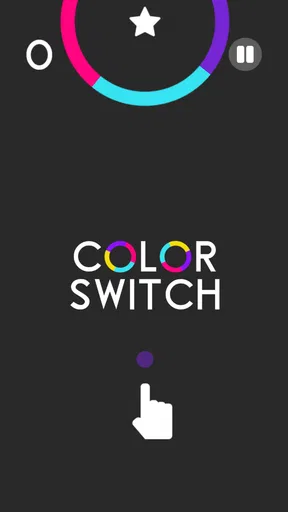
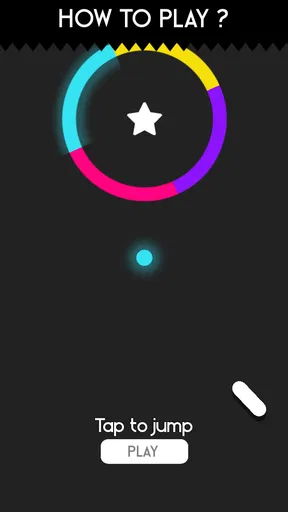


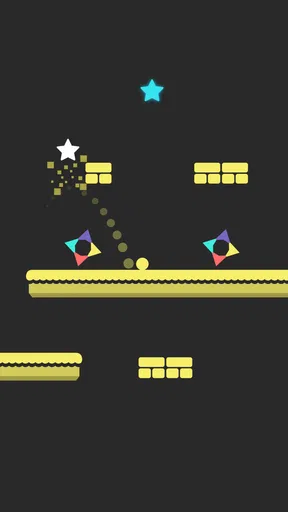
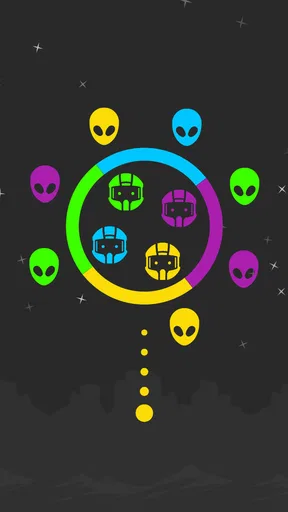
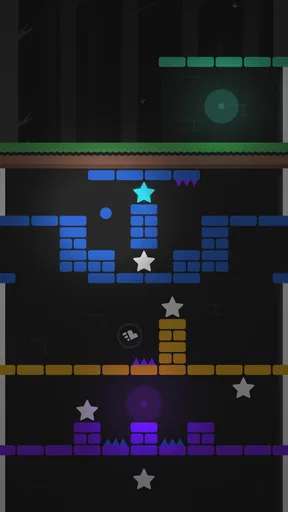
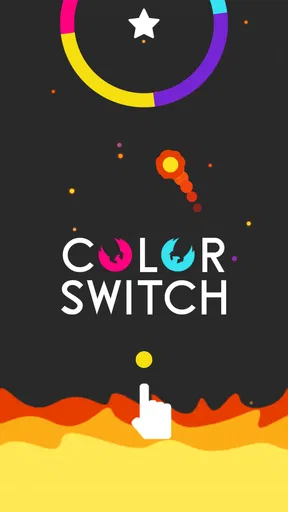
 Analysis by AppCompare
I first noticed Color Switch because it is the kind of arcade game that needs almost no explanation. You tap, react, and try to keep moving through a stream of obstacles without losing concentration. That simplicity makes it easy to pass around on a shared phone, but it also hides a surprisingly demanding challenge: the game asks for quick decisions repeatedly, so a short session can become much more intense than its bright presentation suggests.
After spending time with it, I see the game as a good fit for people who enjoy compact, repeatable challenges rather than a long adventure or a story-driven experience. It is free to play, rated for Everyone, and developed by Color Switch Phoenix LLC. Its arcade design works especially well when I have only a few spare minutes, although the repeated attempts and in-app purchase prompts may not suit every household. My overall view is positive, with some important boundaries to consider when several people use the same device.
How the game works in a shared household
The strongest shared-device quality is that anyone can understand the basic idea almost immediately. A child can pick it up after watching a single attempt, while an adult can still find the timing difficult enough to stay interested. That makes it useful during small gaps in the day: waiting for food, sitting in a reception area, or handing a phone to someone who wants a quick distraction without learning a complicated control scheme.
I would not treat it as a cooperative game, though. The fun comes from taking turns and comparing personal progress, not from working together inside the same run. One person plays while another watches, comments, or tries to predict the next move. That distinction matters in a family setting. It can create a friendly challenge, but it can also lead to frustration if one player keeps taking over the device or if younger players feel pressured by someone who already has better timing.
A practical routine is to agree on short turns before opening the game. For example, each person can have a small number of attempts, then pass the phone along. This keeps the activity social instead of turning it into an endless argument over whose turn it is. Because the game is built around repeated failure and retrying, a clear stopping point is more useful than promising to stop after “one more” attempt.
The design also makes it suitable for a shared tablet, provided the screen is comfortable to hold and the players can sit close enough to see the action. On a phone, the experience feels more personal and immediate. On a larger screen, watching another person play becomes easier, but the device may be less convenient for quick one-handed sessions. I prefer the phone for individual play and a tablet for occasional turn-taking.
What to expect before handing over the device
The game is not a quiet puzzle that can be solved slowly. Its central challenge depends on watching color and timing movement correctly. When I am tired, I make mistakes that have nothing to do with understanding the rule; I simply react a fraction too late. That makes it entertaining for short bursts, but it is not ideal when someone wants a calm activity with no pressure.
Worth Reading Before You Choose

EA SPORTS FC Mobile 26 Is a Bigger Football Game, but It Takes Time

Flipboard Shows What News Apps Must Do Beyond the Feed

Switching to Android Auto Means Rethinking Your Driving Routine

Google Calendar Makes a Crowded Week Easier to Manage

Ludo King Makes the Most of the Minutes Between Plans

Baby Panda World Brings Quick Play to Modern Phones, but Its Game Library Feels Busy
There is also a difference between watching and playing. A spectator may think a section looks easy, then fail quickly when holding the device. In a household, I would avoid giving advice during every attempt. Too much coaching can make the player tense, especially a younger child who is still learning how the obstacles behave. A better approach is to let the player discover the rhythm, then offer one simple suggestion between attempts.
For parents or other adults sharing a device, the Everyone rating makes the game approachable across age groups. That rating does not automatically mean every child will enjoy the pace or handle repeated failure well. The real question is temperament: children who like trying again may become absorbed, while children who dislike losing may need a clear limit on play time.
Setup, account boundaries, and everyday use
Getting started is straightforward because the game does not ask me to learn a large set of systems before playing. I can move directly into the arcade experience and decide for myself whether the controls feel comfortable. That is a useful quality on a family device, where a complicated setup can become a bigger obstacle than the game itself.
Still, I would establish boundaries before letting a child play independently. The game is free, but it includes in-app purchases ranging from $0.99 to $9.99 per item. That does not make it unsuitable, but it does mean the device’s purchase settings and household rules matter. I would explain that free installation does not necessarily mean every optional item inside the game is free, and I would avoid handing over a device with unrestricted purchase access.
This is particularly important on a shared phone. If several people use the same device account, a purchase made during one person’s turn can be associated with the device rather than with the individual who tapped the button. I would therefore treat the game like any other free title with optional spending: decide in advance whether purchases are allowed, who can approve them, and whether the player should ask before selecting anything that costs money.
The game does not need to become a family administration project. A short conversation is usually enough. I would say that the arcade content is available without spending, while any optional purchase requires permission. That simple rule protects the household budget and avoids blaming a child for not understanding how mobile purchases work.
Why short sessions work better than marathon attempts
In my experience, the best way to play is in focused bursts. The controls are simple, but the visual attention required can wear me down. After several failed attempts, I start reacting automatically instead of observing carefully, which makes the next run worse. Taking a break is not just a matter of self-control; it can genuinely improve the quality of the next attempt.
This is one of the less obvious strengths of the game for shared use. A household can fit it into a transition rather than reserving a long block of entertainment time. Someone can play while waiting for another family member, then put the device away without leaving a complicated mission unfinished. The trade-off is that the game’s repeatable structure may tempt players to continue past the point where the experience is still enjoyable.
I also find that the game works better when the device is held steadily. Passing a phone between players while someone is already moving can cause accidental taps or make the screen harder to read. In a turn-based household routine, pass the device only after the run ends. That small habit reduces confusion and makes the next attempt feel fair.
Coordination without pretending it is multiplayer
Color Switch can support a social atmosphere, but it does not replace a true multiplayer game. There is no reason to expect shared objectives or synchronized play from this kind of arcade format. Its household value comes from observation, encouragement, and comparison. If I want a game where two people actively contribute at the same time, I would choose a different category.
For casual coordination, I like setting a simple goal that does not turn every attempt into a competition. One player might focus on learning the timing, while another watches for the next obstacle and stays quiet until the run ends. This creates a useful balance: the person playing remains responsible for the action, and the observer becomes a supportive partner rather than a back-seat controller.
Another workable approach is to compare consistency instead of celebrating only the highest result. A player who reaches a difficult section repeatedly may be improving more than someone who succeeds once by luck. The game’s quick retry structure makes this kind of discussion natural, and it avoids making the youngest or least experienced player feel that every turn is a public test.
There is a limit, however. If the household wants a game for a group gathering, this title may feel too individual. Watching one person make rapid decisions can be entertaining for a while, but several players may lose interest if they are waiting too long. I would use it for two or three people taking quick turns, not as the main activity for a large group.
Comparing it with other arcade choices
Compared with a traditional puzzle game, this one demands faster reactions and offers less time to plan. That makes it more exciting for players who enjoy immediate feedback, but less appealing to someone who prefers arranging pieces carefully or solving a board at a relaxed pace. Compared with a story-based mobile game, it has far less narrative investment and is easier to start or abandon between tasks.
It also differs from endless runners that rely mainly on lane changes or automatic forward movement. Here, color recognition and timing are central to the decision-making. If visual matching is the part of arcade games I enjoy most, this is a stronger choice than a runner built around collecting items. If I prefer exploration, character upgrades, or a sense of progression beyond repeated attempts, I would look elsewhere.
The advantage is focus. I do not need to remember a plot, manage a large inventory, or understand several currencies before playing. The disadvantage is repetition. Once the basic interaction is familiar, the appeal depends on whether I enjoy refining reactions and trying again. That is a personal dividing line, and it is the main reason I would recommend testing the game rather than assuming its high popularity guarantees a fit.
Age context, trust, and responsible use
The Everyone rating makes the game easy to consider for a broad household audience, but age suitability is only one part of the decision. I would also consider how a particular player responds to rapid failure, bright visual stimulation, and the urge to repeat a difficult section. A game can be appropriate in content while still being a poor match for someone who becomes upset when a run ends.
For younger players, I would demonstrate the game first and explain the rule in plain language: watch the color, wait for the right moment, and accept that failed attempts are part of learning. I would also make the spending boundary clear before the first session. That combination builds trust more effectively than silently relying on the child to understand the difference between playing for free and selecting an optional purchase.
For older children and adults, the main concern is usually time rather than comprehension. Because a new attempt begins quickly, it is easy to keep playing without a natural story chapter or level break telling me to stop. I would use a timer, a turn limit, or a household rule such as putting the device away when the agreed activity ends. The game itself is not a substitute for that coordination.
I would also avoid treating the device as a scoreboard for family worth. Some players will have quicker reactions, more patience, or simply more free time to practice. A healthier shared experience is to praise improvement and let people opt out without teasing. That is especially relevant when a child is playing beside an experienced adult who can make the challenge look easier than it feels.
Technical expectations and version considerations
The current version is 2.85, and the game supports devices running Android 7.1 or later. That gives it a relatively accessible technical starting point for compatible Android phones and tablets. Before installing it on an older household device, I would still check that the operating system meets that requirement and that the screen responds reliably to quick taps.
Performance matters more here than it might in a slow puzzle game. A delayed touch or an uncomfortable grip can make a failed attempt feel unfair, even when the issue is the device rather than the player. I would test the controls privately before introducing the game as a family challenge. If the phone has a cracked screen, inconsistent touch response, or a case that makes tapping awkward, the experience may be frustrating for everyone.
The game is available at no upfront cost, which lowers the barrier for trying it on a compatible device. The optional purchase range is the part I would discuss with other household users, not because spending is required to understand the arcade appeal, but because shared devices need clear responsibility. A free starting point is convenient; it is not the same as a completely purchase-free environment.
Who will enjoy it, and who should skip it
I recommend it to players who like fast arcade sessions, repeated attempts, and the satisfaction of improving through timing. It is particularly convenient for someone who wants a game that can be understood quickly and played in short gaps. It also works well as a casual family turn-taking game when everyone agrees that the point is to have fun rather than prove who is best.
I would be more cautious about recommending it to people who want a substantial campaign, character development, strategic planning, or relaxed problem-solving. The simple interaction is the attraction, but it is also the limit. If I am looking for a game that gives me a new reason to return through a story or a large progression system, this is unlikely to satisfy me for long.
I would also skip it for a shared device if the household is not prepared to manage optional purchases or turn-taking. Those are not flaws in the core arcade idea, but they can become practical problems when several people use one account or one screen. A different game may be better if the family needs built-in cooperative play, slower pacing, or a clearly structured stopping point.
My household verdict after repeated play
Color Switch has earned its place as a compact arcade option because it gets to the action quickly and makes every attempt understandable. Its 4.6 average from around 385 thousand ratings, along with over 50 million installs, shows that the format has reached a large audience. I see why: the rules are approachable, the challenge is immediate, and the game does not demand a long commitment before the first meaningful attempt.
Those figures do not change my more personal conclusion. I enjoy it most when I treat it as a short concentration exercise rather than an all-evening game. The best household setup is a compatible device, an agreed turn routine, and a clear rule that optional purchases need approval. With those basics in place, it can create a light, friendly challenge between family members without pretending to be a cooperative experience.
My final recommendation is therefore positive but specific. Try it if you want quick color-based arcade action and enjoy learning through repetition. Keep sessions short, let the person holding the device make the decisions, and do not confuse the Everyone rating with a guarantee that every child will enjoy the pressure of rapid failure. For a shared household, the most important feature is not the free download but the ease of setting simple boundaries around turns, time, and spending.
For me, that balance is what makes Color Switch worth keeping available on a family device. It is easy to start, easy to explain, and surprisingly difficult to master, while its weaknesses are clear enough to manage. I would choose it for quick breaks and friendly one-at-a-time challenges, but I would choose another arcade game when the household wants teamwork, deeper progression, or a calmer pace.
Pros
- Simple one-touch controls are easy to learn in seconds.
- Bright colors and smooth animations make gameplay visually appealing.
- Short rounds work well for quick breaks or casual play.
- Increasing difficulty provides a satisfying challenge over time.
- Offline play lets you enjoy many sessions without an internet connection.
Cons
- Repeated failures can feel frustrating
- especially on harder sections.
- Progress may become repetitive after extended play sessions.
- Ad interruptions can reduce the flow of gameplay.
- Timing-based mechanics offer limited variety in core gameplay.
- Some features or rewards may encourage optional in-app purchases.
FAQs for Color Switch: Endless Play Fun
What is Color Switch: Endless Play Fun?
Color Switch: Endless Play Fun is a casual arcade game built around simple one-touch controls and quick reactions. You guide a colored ball through rotating obstacles, moving platforms, and other challenges while making sure it passes through sections that match its current color. The concept is easy to understand, but later stages become increasingly demanding and require timing, concentration, and repeated attempts.
How do you play Color Switch: Endless Play Fun?
The main control is usually a tap on the screen, which makes the ball jump or change its movement. Your goal is to pass through the correctly colored part of each obstacle without touching a different color. As you progress, the patterns move faster and the timing becomes less forgiving. Short play sessions make it suitable for quick breaks, although difficult levels may encourage several retries.
Is Color Switch: Endless Play Fun free to download and play?
Color Switch: Endless Play Fun can generally be downloaded without an upfront purchase, allowing you to try the core gameplay for free. However, free versions of casual arcade games may include advertising, optional purchases, or other monetization features. Availability and pricing can vary between Android and iOS, so it is worth checking the relevant app-store listing before downloading or buying anything.
Does the game require an internet connection?
The basic arcade gameplay may work without a constant internet connection, which makes Color Switch: Endless Play Fun convenient for travel or offline play. Nevertheless, an internet connection can be required for advertisements, cloud-related features, analytics, updates, or restoring purchases. Since requirements may change after updates, check the store description and test the game in airplane mode if offline access is important to you.
Is Color Switch: Endless Play Fun suitable for children?
The game is easy to understand and does not usually require reading complex instructions, making it accessible to many children and casual players. However, parents should review the app-store age rating, advertising policy, and any in-app purchase options before allowing independent play. The fast pace can also be frustrating for younger users, particularly when later obstacles demand precise timing and repeated attempts.


